
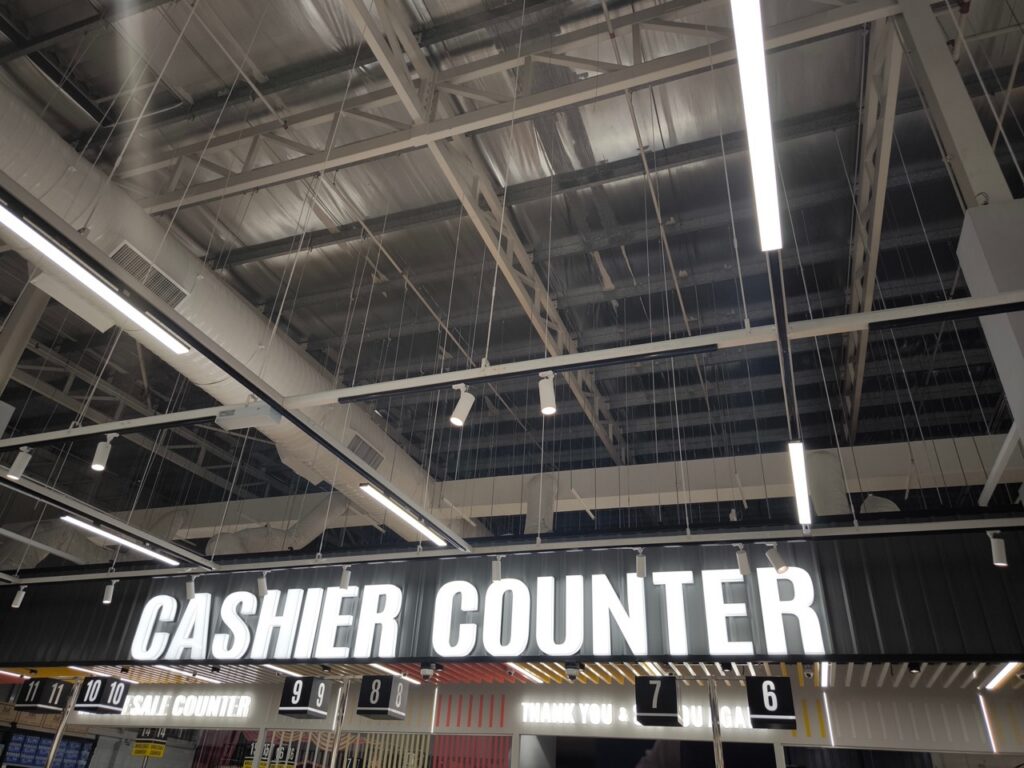
The checkout lane is the last operational touchpoint of every grocery shopping trip. Everything that happened before it, the quality of your product selection, the cleanliness of your store, the helpfulness of your staff in the aisles, can be undermined by a checkout experience that is slow, confusing, or friction-filled. Conversely, a checkout experience that is fast, accurate, and pleasant sends a customer out the door in a better mood than they arrived, which is the emotional state most correlated with returning and recommending.
Most independent grocery operators think about checkout primarily in terms of technology: which POS system they are running, what payment types they can accept, and whether their hardware is fast enough. These things matter significantly. But checkout lane design is also a physical, operational, and staffing question that technology alone cannot answer. The fastest POS system in the industry will not fix a checkout lane that is physically configured to create bottlenecks, staffed in a way that creates idle time during rushes, or set up in a way that makes the shopper feel confused or unwelcome.
Here is how to think about checkout lane design holistically across technology, layout, and staffing to build a checkout experience that is measurably faster and genuinely better for your customers.
Start With the Physical Layout
The physical configuration of your checkout lanes sets the ceiling for how fast your checkout operation can run regardless of how good your technology is. Common physical design problems that slow checkout and create friction include:
- Lane widths that are too narrow to accommodate a full-size grocery cart comfortably, forcing shoppers to angle their carts in ways that slow unloading and create congestion
- Belt lengths that are too short for a full weekly shop, requiring cashiers to pause scanning while the shopper catches up on unloading
- Insufficient bagging space that causes the transaction to pause while a cashier bags completed items before continuing to scan
- Poor sight lines from the front end that make it difficult for a lane supervisor or manager to see which lanes need attention without walking the full length of the checkout area
- Exit paths that create congestion between customers who have completed their transaction and customers still in line
Addressing these physical constraints does not always require a major renovation. Sometimes it means repositioning a divider, extending a belt with an inexpensive addition, or reconfiguring the bagging station to create more surface area. The investment is usually modest relative to the checkout speed improvement it produces.
Configure Your POS for Minimum Steps Per Transaction
Every unnecessary step in a checkout transaction adds seconds, and seconds multiply across hundreds of daily transactions into meaningful throughput differences. The goal of POS configuration for a checkout lane is to make the most common transaction types completable with the minimum number of cashier actions.
Specific configuration decisions that reduce steps per transaction include:
- Placing the most frequently used functions, including common payment types, loyalty account lookup, and standard produce PLU codes, in the most accessible positions on the cashier interface rather than buried in menus
- Configuring automatic loyalty account recognition so that a scan of a loyalty card or entry of a phone number immediately populates the account without additional confirmation steps
- Setting up scale integration so weighted items calculate and populate automatically without requiring the cashier to enter a weight manually
- Enabling payment auto-detection so the system recognizes the payment type being presented and routes to the correct processing flow without requiring the cashier to select it first
FlexRetail’s POS interface is designed around the real workflow of a grocery cashier, with configurable layouts that allow high-frequency functions to be surfaced prominently for your specific transaction mix.
Match Your Lane Configuration to Your Traffic Pattern
Not all checkout lanes need to be configured identically, and a lane configuration that matches your actual traffic pattern performs meaningfully better than a one-size-fits-all approach. Specific lane configuration strategies that improve throughput include:
- Designating one or two lanes as express lanes for small basket sizes during peak hours, which routes quick-trip customers out of the line behind full weekly shops and improves the experience for both customer segments
- Configuring self-checkout lanes to handle the specific transaction types that your small-basket customers use most frequently, including EBT and digital wallet support that many self-checkout implementations omit
- Positioning your highest-throughput cashier on your busiest lane during peak hours rather than rotating staff based on seniority or preference
- Adjusting the number of open lanes in real time based on queue length rather than maintaining a fixed number regardless of traffic
FlexRetail’s self-checkout solution supports the full range of payment types including EBT and WIC, which is what allows self-checkout to serve your entire customer base rather than a subset of it.
Use Your POS Data to Identify Where Slowdowns Are Actually Happening
Before investing in changes to your checkout lane configuration, use your POS transaction data to identify where slowdowns are actually occurring rather than where you think they are. Specific data points that reveal checkout inefficiency include:
- Average transaction time by lane and by cashier, which identifies whether slowdowns are hardware-related, cashier-related, or transaction-type-related
- Transaction time broken down by payment type, which reveals whether specific payment methods are creating disproportionate delays
- The frequency and duration of transaction pauses, which may indicate a configuration issue where cashiers are waiting for system responses that should be faster
- Queue length data during specific time windows, which identifies whether your lane capacity is appropriately matched to your peak demand
FlexRetail’s reporting tools surface transaction-level timing data that makes this kind of checkout performance analysis possible without building a custom monitoring system.
Design the Shopper Experience, Not Just the Cashier Experience
A checkout lane that works well for the cashier but creates confusion or anxiety for the shopper is not a well-designed lane. The shopper experience at checkout is shaped by several factors that extend beyond transaction speed:
- Clear signage that tells shoppers which lanes are open, which are express, and which are self-checkout so they can navigate to the right lane without hunting
- A customer-facing display that shows items and prices in real time so shoppers can verify their transaction without asking the cashier to repeat items
- A payment terminal that is positioned and angled to be easy to use without the shopper having to lean awkwardly or stretch to reach the card reader
- Adequate lighting at the register that makes it easy for shoppers to see the display, the payment terminal, and their own items without straining
- A bagging area that gives shoppers enough room to organize their bags without feeling rushed or cramped
FlexRetail’s POS hardware includes customer-facing display configurations that support real-time transaction visibility, and the payment terminal options are designed for comfortable use from the customer side of the counter rather than optimized solely for cashier-side operation.
Train Cashiers on the Behaviors That Actually Speed Up Checkout
Technology and layout account for a significant portion of checkout speed, but cashier behavior accounts for the rest. Specific behaviors that experienced cashiers use to keep transactions moving include starting to scan before a customer has finished unloading for large baskets, communicating with the next customer in line while completing the current transaction, and handling exception scenarios like price checks and manager overrides with a calm efficiency that does not create anxiety for the customer or the line behind them.
These behaviors can be trained, but they need to be trained specifically rather than assumed. A new cashier who is told to be fast will develop their own interpretation of what that means. A cashier who is shown the specific techniques that experienced cashiers use to maintain throughput without sacrificing accuracy learns the behaviors that actually make a difference rather than inventing their own.
Schedule a FlexRetail demo to see how the POS configuration, hardware options, and self-checkout integration work together to support a checkout lane design that moves faster and feels better for your shoppers.