
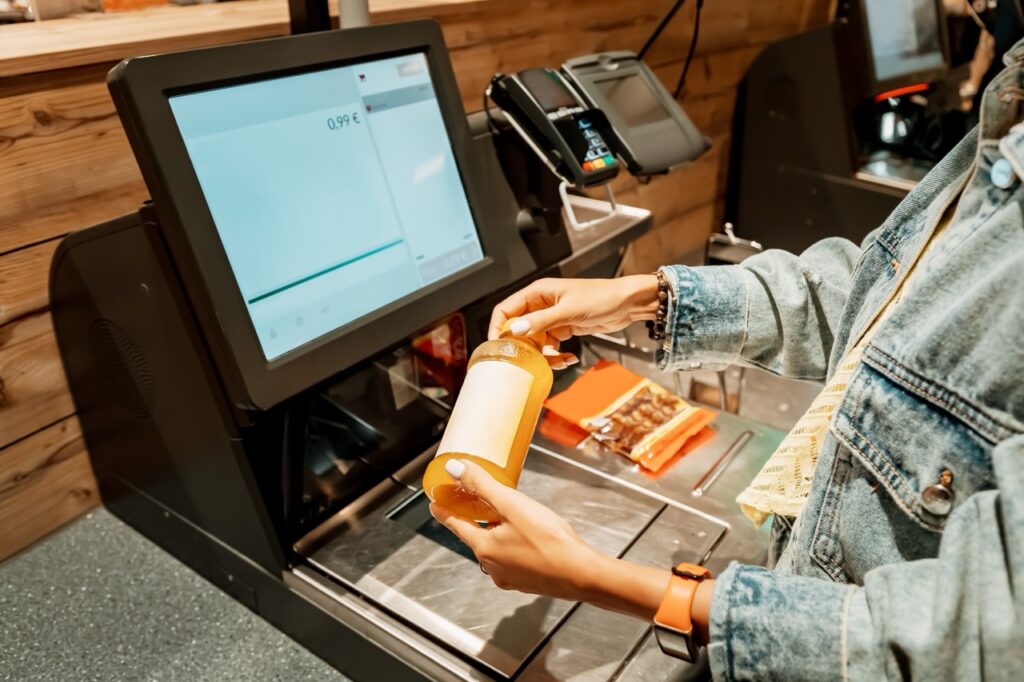
The customer-facing display is the screen on the other side of the register, the one the shopper sees while the cashier is scanning their items. In most grocery stores, it shows a running list of items and prices, a total, and a payment prompt. It does its job adequately and attracts almost no attention from store management as a tool for anything beyond basic transaction visibility.
That understated treatment misses something important. The customer-facing display is the only moment in the grocery shopping experience where the store is communicating directly with the shopper through technology in real time during an active transaction. Every other customer touchpoint, the signage, the circular, the loyalty app, the cashier greeting, happens either before the transaction or after it. The display happens during it, at the moment of highest attention and highest trust sensitivity.
A display that is configured thoughtfully builds confidence, reduces disputes, and contributes to the kind of checkout experience that sends a customer out the door feeling good about their visit. A display that is poorly configured, or simply ignored as a design opportunity, is a missed chance to do something that costs very little but delivers real value. Here is what the customer-facing display should be doing and how to configure it to do it well.
Real-Time Item and Price Visibility Reduces Disputes Before They Start
The primary function of the customer-facing display is showing shoppers each item as it is scanned along with its price. When this is working correctly and the display is easy to read, shoppers naturally monitor the transaction as it progresses. When they see a price that does not match their expectation, they say something before the transaction is complete rather than after.
This matters for two reasons. First, it catches the pricing errors that are inevitable in any grocery operation, shelf price discrepancies, promotional prices that did not update correctly, or PLU code errors on weighted items, at the moment when they are cheapest and easiest to fix. A correction made before payment is processed takes seconds. A correction that requires a post-transaction void and reprocessing takes minutes and creates a line behind it.
Second, and more importantly, visible real-time pricing builds trust. A shopper who can see every item and every price as it is scanned is a shopper who is not wondering whether they are being charged correctly. That absence of doubt is a small but real contributor to the overall sense of a store being honest and reliable, which is a component of the customer relationship that independent grocers are specifically positioned to earn.
FlexRetail’s POS hardware includes customer-facing displays configured to show real-time item and price information in a clear, legible format throughout the transaction.
Weight and Price Calculations Should Be Visible for Weighted Items
For grocery stores that sell produce, deli items, meat, bulk goods, or any product priced by weight, the customer-facing display has an additional trust function: showing the weight and the price per pound alongside the calculated price so the shopper can verify the calculation rather than simply trusting a number that appeared on the screen.
This is particularly important for:
- Deli counter items where the shopper watched their order being weighed at the counter and has a sense of what it should cost
- Produce items weighed at the register where the shopper may have a rough expectation of the weight
- Bulk items where the per-unit price and the total quantity both contribute to the final price
When the display shows the weight, the price per pound, and the calculated total in a clear format, shoppers can verify the math themselves in real time. This transparency is especially valuable for building trust with customers who are price-conscious or who have had negative experiences with pricing errors at other stores.
FlexRetail’s scale integration feeds weight and pricing data directly to the customer-facing display as part of the same transaction flow, so the verification information is always visible without requiring additional cashier steps.
Loyalty Account Status Should Be Visible in Real Time
For stores with a loyalty program, the customer-facing display is the natural place to show loyalty account activity as it happens during the transaction. When a loyalty member’s discounts are applied and the display shows them in real time, the shopper can see exactly what their membership is saving them on this visit. This immediate, visible value reinforcement is one of the most effective ways to build loyalty program engagement, because it connects the abstract concept of earning rewards to a concrete dollar amount on a specific transaction.
Specifically, the display should show:
- When a loyalty member has been identified, with a brief acknowledgment
- Each loyalty discount as it is applied, showing the original price and the discounted price separately
- The points being earned on the current transaction, so the shopper can see their balance growing in real time
- Any rewards being redeemed on the current transaction and the value of that redemption
When shoppers can see their loyalty benefits applying in real time, the program feels active and valuable rather than abstract and distant. This visibility is one of the reasons FlexRetail’s POS-integrated loyalty platform connects directly to the customer-facing display rather than operating as a separate system that the display cannot access.
Payment Prompts Should Be Clear and Support Every Payment Type
The payment portion of the customer-facing display experience is where many grocery stores create unnecessary friction. Payment prompts that are confusing, that present too many options without clear guidance, or that do not clearly communicate when a payment has been accepted versus when additional steps are required slow down transactions and create anxiety for shoppers who are not sure whether what they did worked correctly.
A well-designed payment prompt on the customer-facing display is:
- Clear about what the shopper needs to do next at each step of the payment process
- Explicitly confirmatory when a payment is accepted, so the shopper is not left wondering
- Organized to present the most common payment methods prominently rather than requiring the shopper to navigate through a list to find their preferred method
- Accessible to shoppers who may not be fluent in English, with multilingual payment prompts for stores serving communities where multiple languages are in use
FlexRetail’s payments and security platform supports multilingual customer-facing payment prompts alongside the full range of payment types independent grocers need to accept, so the payment experience is clear and confident for every shopper regardless of language preference or payment method.
Promotional Messaging Between Transactions Is a Missed Opportunity for Most Stores
When a register is between transactions, the customer-facing display is typically showing a static logo or a blank screen. This idle time is an opportunity to communicate with shoppers who are waiting in line, thinking about what they might add to their basket, or simply standing with nothing to look at.
Effective use of the between-transaction display includes:
- Featuring your current promotions so shoppers waiting in line can see what is on special and potentially make a decision to add an item before they reach the register
- Highlighting your loyalty program benefits for shoppers who are not yet enrolled and may be motivated to sign up during a quiet moment at the register
- Displaying community messages, local event information, or store news that reinforces the community connection that defines the independent grocer’s relationship with its neighborhood
- Showcasing new products or seasonal items that shoppers may not have noticed during their shopping trip
This use of the display requires a system that allows you to configure and update the between-transaction content without technical complexity. FlexRetail’s back-office management tools support display content management as part of the standard platform rather than a separate configuration exercise.
What the Display Signals About Your Store
Beyond its functional role in the transaction, the customer-facing display makes a statement about your store’s values. A display that is easy to read, shows complete and accurate information, supports multiple languages, and presents your loyalty program’s value clearly is a display that says your store is transparent, customer-focused, and technologically capable. A display that is hard to read, shows incomplete information, or simply goes dark between transactions says something different.
For an independent grocer whose competitive position depends on the trust and loyalty of a specific community, these signals matter. The checkout lane is the last impression of every visit, and the customer-facing display is a significant part of that impression.
Schedule a FlexRetail demo to see how the customer-facing display is configured within the platform and what the full checkout experience looks like from the shopper’s perspective.