
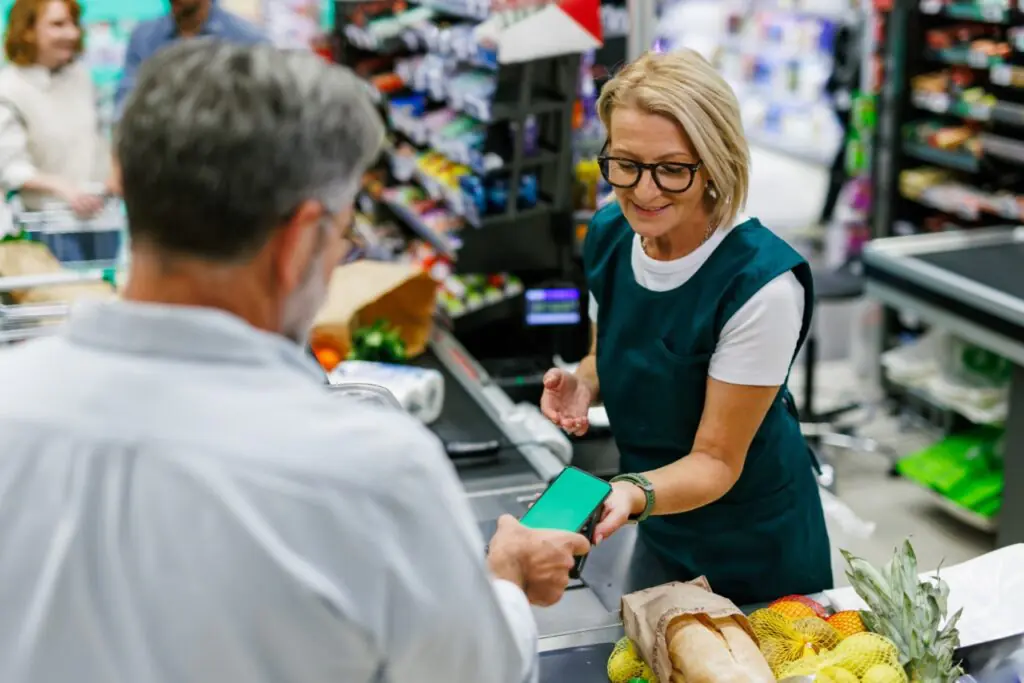
Mobile order ahead looks simple from the shopper’s side. They build an order on their phone, choose a pickup time, pay, and collect their groceries. Behind that smooth experience is a payment process that is more complicated than a standard register transaction. The customer pays before anyone has picked the order. The final total may differ from the original because of weights, substitutions, and out-of-stock items. And the transaction happens without a card being physically present, which changes the risk profile.
Independent grocers who understand these mechanics take payment cleanly and avoid the disputes, adjustments, and chargebacks that frustrate stores and customers alike. Here is what to know.
Authorization and Capture Are Two Different Steps
In a register transaction, authorization and capture happen almost simultaneously. In mobile order ahead, they are separated by time, and understanding the difference is the foundation of correct payment handling.
Authorization is the step where the customer’s card issuer confirms that funds are available and places a hold on that amount. It happens when the order is placed. Capture is the step where the funds are actually collected, which should happen when the final order total is known, typically after picking is complete.
This matters because the final total is rarely identical to the original estimate. If you capture the original amount without adjusting, you may overcharge a customer whose items were out of stock or substituted at a lower price, or undercharge on items that came in heavier than expected. A correct workflow:
- Authorizes the estimated total at order placement, often with a small buffer to cover weight variance
- Adjusts the final amount after picking based on what was actually fulfilled
- Captures the final amount, ideally when the order is staged or handed off
- Releases any unused authorization so the customer’s available balance is not tied up
FlexRetail’s payments and security platform supports the authorization and adjustment flow that multi-channel transactions require. Our guide to what buy online pick up in store requires from your POS explains the payment and inventory pieces working together.
Weighted Items Create Final Price Variance
Produce, deli items, meat, and other items sold by weight cannot have an exact price until they are picked and weighed. A customer ordering two pounds of grapes may receive two pounds and a few ounces, and the price reflects the actual weight.
Good practice is to show customers an estimated price, clearly labeled as an estimate, and to set a reasonable tolerance for weight variance. Many stores cap the maximum weight they will fulfill above the ordered amount, so the final charge never surprises the customer significantly. The authorization buffer mentioned above exists specifically to absorb this variance without a declined adjustment.
Clear communication avoids disputes. If the order confirmation explains that final prices for weighted items may vary slightly, customers are rarely surprised by the final total.
Substitutions and Removals Change the Total
When an item is out of stock, the substitute may be priced differently. A cheaper substitute reduces the total, and a more expensive one raises it. Your payment process needs rules for each case:
- If a substitute costs less, charge the lower price and pass the savings to the customer
- If a substitute costs more, decide in advance whether you honor the original price, cap the increase, or require customer approval before charging the higher amount
- If an item is removed without a substitute, reduce the total accordingly and release the held funds
These rules should be consistent and visible to customers. Approval workflows, where the customer confirms a more expensive substitution before it is added, protect both the customer and the store from disputes.
EBT and SNAP Online Have Specific Payment Rules
For stores accepting SNAP online, payment has additional constraints. SNAP benefits can only pay for eligible food items. They cannot pay for delivery fees, service fees, or tips, and ineligible items in the same order must be paid for with another method. A customer paying partly with EBT and partly with a card creates a split tender that your online checkout must handle correctly.
EBT online transactions also require PIN entry for security, and they must be processed through an approved processor. The USDA’s SNAP online purchasing guidance outlines the authorization and technical requirements. Our guide to what the difference between EBT cash and SNAP benefits means at the register explains the benefit types that your online checkout also needs to distinguish.
Card-Not-Present Transactions Carry Different Risk
Because the customer’s card is not physically present, mobile order ahead transactions are classified as card-not-present. These transactions have higher fraud risk, and the liability for fraudulent card-not-present transactions typically falls on the merchant rather than the issuer. They also tend to generate more chargebacks than in-person payments.
Practical protections include:
- Using address verification and card security code checks at checkout
- Requiring a confirmed order before releasing high-value items, or verifying the cardholder at pickup for large orders
- Keeping clear records of order details, pickup confirmation, and customer communication to support dispute defense
- Using a clear statement descriptor so customers recognize the charge on their bank statement
Our guide to reducing chargebacks and disputed transactions covers these protections in more depth. Card-not-present processing also carries PCI obligations, and a validated, integrated payments architecture reduces your scope. Our explainer on staying PCI compliant without a dedicated IT team walks through what that means for a small operation.
Consider How Tips and Fees Are Handled
If you offer delivery or curbside service, customers may expect to add a tip at checkout. Decide in advance how tips are collected, who receives them, and how they are recorded. Tips are not eligible for SNAP payment, and they need to be tracked separately from product revenue for accounting and payroll purposes.
Service fees and delivery fees should be displayed clearly before payment so customers are not surprised at the final step. Hidden fees are one of the most common sources of customer complaints and chargebacks in online ordering.
Pickup Verification and Age-Restricted Items
For orders containing alcohol, tobacco, or other restricted items, the payment is only part of the transaction. The age verification step must still happen at handoff. A customer who paid online has not proven their age, so your pickup process should include ID verification for restricted items before the order is released. If verification fails, you need a policy for removing those items and adjusting the payment.
Keep Online and In-Store Payments in One System
The most reliable way to avoid payment confusion is to run online and in-store payments through a single integrated system. When both channels flow through the same platform, your reporting shows a complete picture of revenue by payment type, your reconciliation is simpler, and your staff are not managing two payment processes that must be matched up later.
FlexRetail’s e-commerce integration and payments platform keep online and in-store transactions in the same reporting and reconciliation flow. Schedule a FlexRetail demo to walk through how authorization, adjustment, and capture work for a mobile order ahead transaction in your store.